Total Defense
PC Tune-Up

All new Total Defense PC Tune-Up – Faster and easier to use than ever.
Virus-free, Hassle-free, Worry-free.

Virus-Free Guarantee
We're so confident in our protection we guarantee that your PC or device will stay virus-free.

Free US Tech Support
Our friendly US-based team is standing by to assist with customer care & technical support.

60-day Money Back Guarantee
60-day Guarantee
If you're not completely satisfied, we'll refund your money within 60 days of purchase.
60 Day Money Back Guarantee
Money Back Guarantee Program
Total Defense is committed to helping you with your refund. If our product does not meet your expectations for any reason, we will provide a full refund within 60 days of your purchase.
Virus Protection Assurance Program
Virus Protection Assurance Program
An exclusive benefit for customers enrolled in the Automatic Renewal Service.
When you choose Total Defense, you’re safeguarded with award-winning, multi-layered virus protection technology. Our powerful security lets you confidently shop, bank and browse online. In fact, we’re so certain we can protect you, if you’re running a Total Defense Security Product and a virus slips past our powerful protection, our expert technology advisors will remove the virus from your device for free. In the unlikely event the virus can’t be removed, we will give you your money back.
»Important terms and offer detailsFree US-Based Support Team
Need Assistance?
US-Based Support • Weekdays 9am – 5pm, Eastern Time USA
Technical Support
Call 1-866-305-7989
or Email
Free technical support includes:
- Download and installation
- Activation and configuration
- Removal of conflicting AV software
- Updates and upgrades
Customer Care
Call 1-877-906-8816
or Email
Customer care assists with:
- Sales and orders
- Account information
- Renewals
- Refunds
- Rebates
- Billing Inquiries
Keep your PC running like new.
Maximize Internet speed, get quick startups and run at peak performance with a complete computer tune up.
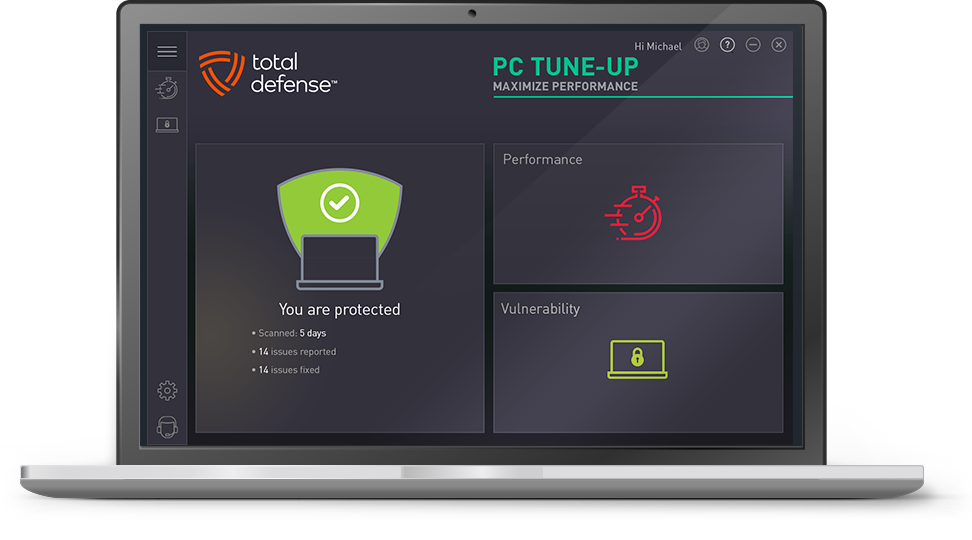
- NEW Boost PC Performance – automatically improve PC startup time, Internet speed and program performance
- NEW Vulnerability protection – automatically update outdated software applications
- Quick fixes – an easy-to-use interface makes it simple to understand and maintain your PC
- Stabilize your PC – stops your computer from freezing, locking up or the dreaded blue screen by updating and repairing drivers
- + One-click scan and fix – take care of PC performance issues all at once

NEW Internet Speed Optimization

NEW Get Your PC Started Faster

Detailed Reports

Fixes Registry Errors

Keeping Your Guard Up

Enhanced Disk Cleaner
Frequently Asked Questions
A: A tune-up is your PC’s instant performance upgrade. After installing Total Defense PC Tune-Up, simply run a quick scan to clean clutter, optimize settings, and update critical components—giving you:
- Faster startup & app launches
- Speedier browsing
- Automatic driver updates
- Automatic software patching
A: At least once per month for best results.
A: Yes! Our tool optimizes settings for faster browsing.
A: Absolutely—works with Windows 10 and Windows 11 based devices.
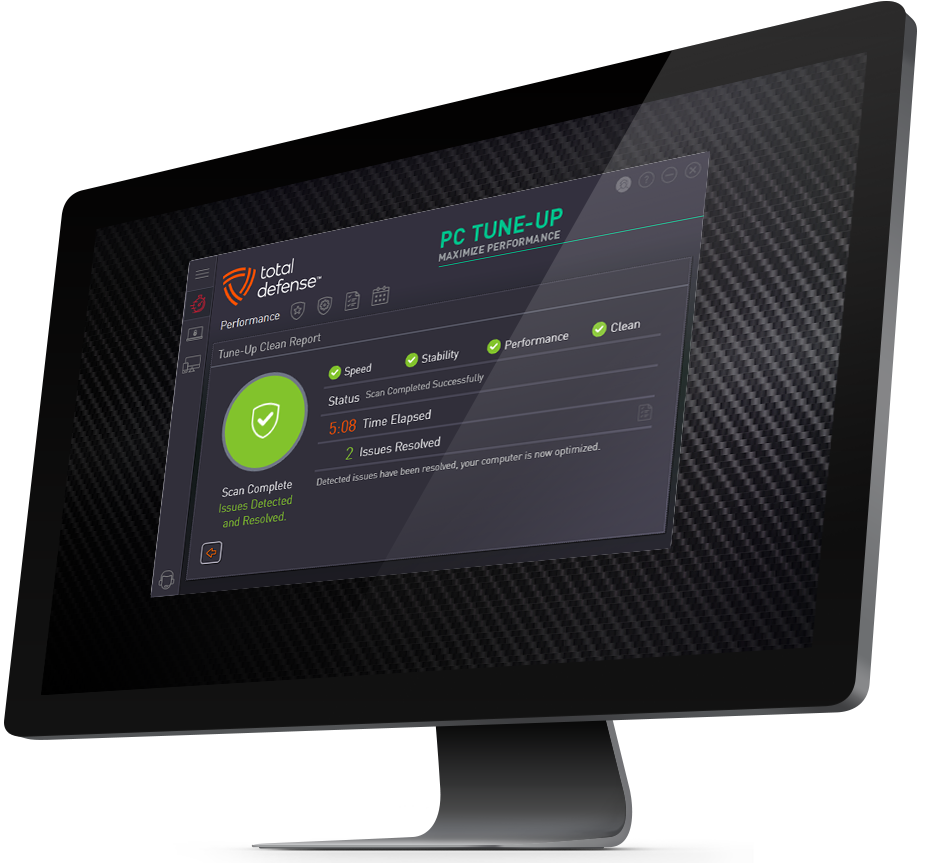
Tuning up your PC is a two part process – Scan & Tune-Up. > How to run a Performance / Tune-Up Scan
Our customers love PC Tune-Up
-
“Support Specialist guided me through the successful installation of my Total Defense PC Tune Up product. Supports tech is very knowledgeable, experienced and patient. In a short...”- Thomas E.
-
“I have enjoyed using Total Defense PC Tune-Up. I have used it regularly for a few years. I always felt my computer is working smoothly and have not experienced crashes since...”- Jonathan S.
-
“Very satisfied. Would highly recommend it to all my friends. My computer is running much faster. I know I can dial the phone and talk to a live person to solve any problem I may...”- Patricia F.
-
“100% satisfied with Total Defense. Highly recommended. Thank you Support for all your help with my PC Tune-Up!”- Tom G.
-
“I have been using PC Tuneup for several years. It not only cleans up the computer, but it checks for updates on programs as well. Fabulous software! I use it on all my...”- Hutch H.
-
“Fast effective PC tune-up. Fixes problems fast.”- Teresa C.
-
“Can't go wrong with this one, impressive capabilities and easy-to-use.”- Vincent P.
-
“The program ran very quickly. It found free space by optimizing my drive. This is an excellent program.”- Owen M.
-
“Very easy to use and produces excellent results. I depend on it to keep my PC in good shape.”- Ronda M.
-
“This is the easiest way I've found to improve the performance of my computer with the touch of a button.”- Artie M.
Total Defense
PC Tune-Up


System Requirements
- Windows 11 (64-bit)
- Windows 10 (32 & 64-bit)
- Windows 8.1 (32 & 64-bit)
- 2 GB RAM
- 1 GHz or faster processor
- Internet Explorer 11 or Microsoft Edge
- 1 GB of available hard disk space
- 1024 x 768 or higher screen resolution
- Internet access
- For personal and family use only. Not for business or commercial use.
Also sold at:








Questions? Our friendly award winning US-based support team is happy to help and it's free.
1-877-906-8816 Weekdays 9am – 5pm, Eastern Time USA